Usage
Configuration
Add sphinxcontrib.gtkwave to extensions list in conf.py:
extensions = [
              'sphinxcontrib.gtkwave',
              ]
Basic
The main directive is gtkwave:
.. directive:: gtkwave
This directive accepts a single string as argument, which is file path to input file:
.. gtkwave:: docs/gtkwave_output.vcd
The above snippet would render like this:

waiting
The program is waiting until something is displayed. If nothing happens (e.g. missing gtkwave), after timeout (:timeout:) assertion is raised.
Options
timeout
If nothing happens, after timeout (default 12 sec) exception is raised, you can change it with this option:
.. gtkwave:: docs/gtkwave_output.vcd
      :timeout:  120
screen
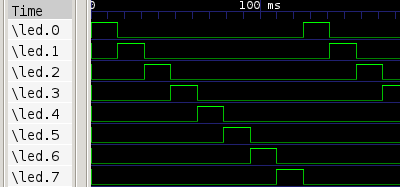
Using the option screen you can set the screen size, default is 1024x768, scrollbar and toolbar is removed from image:
.. gtkwave:: docs/gtkwave_output.vcd
      :screen:   400x400
The above snippet would render like this:
Other resolution:
.. gtkwave:: docs/gtkwave_output.vcd
      :screen:   100x100
The above snippet would render like this:
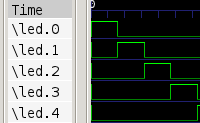
Image options
Same as in http://docutils.sourceforge.net/docs/ref/rst/directives.html#image
scale, alt
Example:
.. gtkwave:: docs/gtkwave_output.vcd
     :scale: 200 %
     :alt: alternate text
The above snippet would render like this:

height, width
Example:
.. gtkwave:: docs/gtkwave_output.vcd
     :height: 100px
     :width:  100 px
The above snippet would render like this:

align
Example:
.. gtkwave:: docs/gtkwave_output.vcd
     :align: right
The above snippet would render like this:
